A 100 foods before one tracker with allergen introduction built in
Starting solids comes with a list of questions. Which foods have we tried? Has the egg been offered three days running? Was that rash after the yogurt? Baby Tracker keeps the 100-food checklist, the allergen schedule and any reactions in one shared place, free.
- Free, no trial
- No account
- Unlimited caregivers
- Saves to your Google Drive
- Works offline
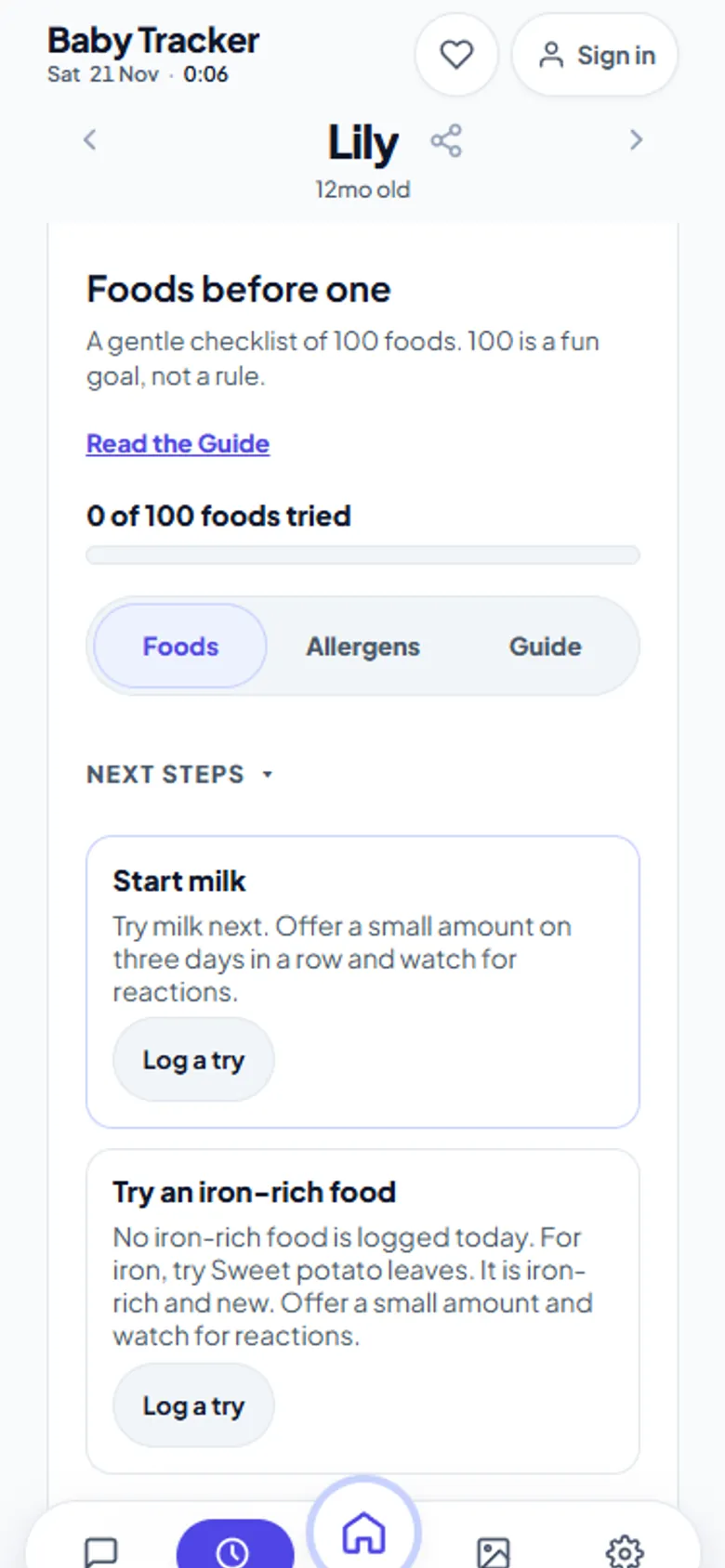
A gentle 100-food checklist
The list holds 100 common first foods, each tagged by group and flagged when it is iron-rich or a top allergen. Search it, or filter by Not tried, Tried, Iron-rich, Allergen or Reaction. The progress bar counts foods tried. As the app itself says, 100 is a fun goal, not a rule.
Next steps, suggested for you
A Next steps panel looks at what you have logged and suggests one thing to try. That might be the next allergen to start, or an iron-rich food if none has been offered today. Each suggestion has a Log a try button, so recording it takes two taps.
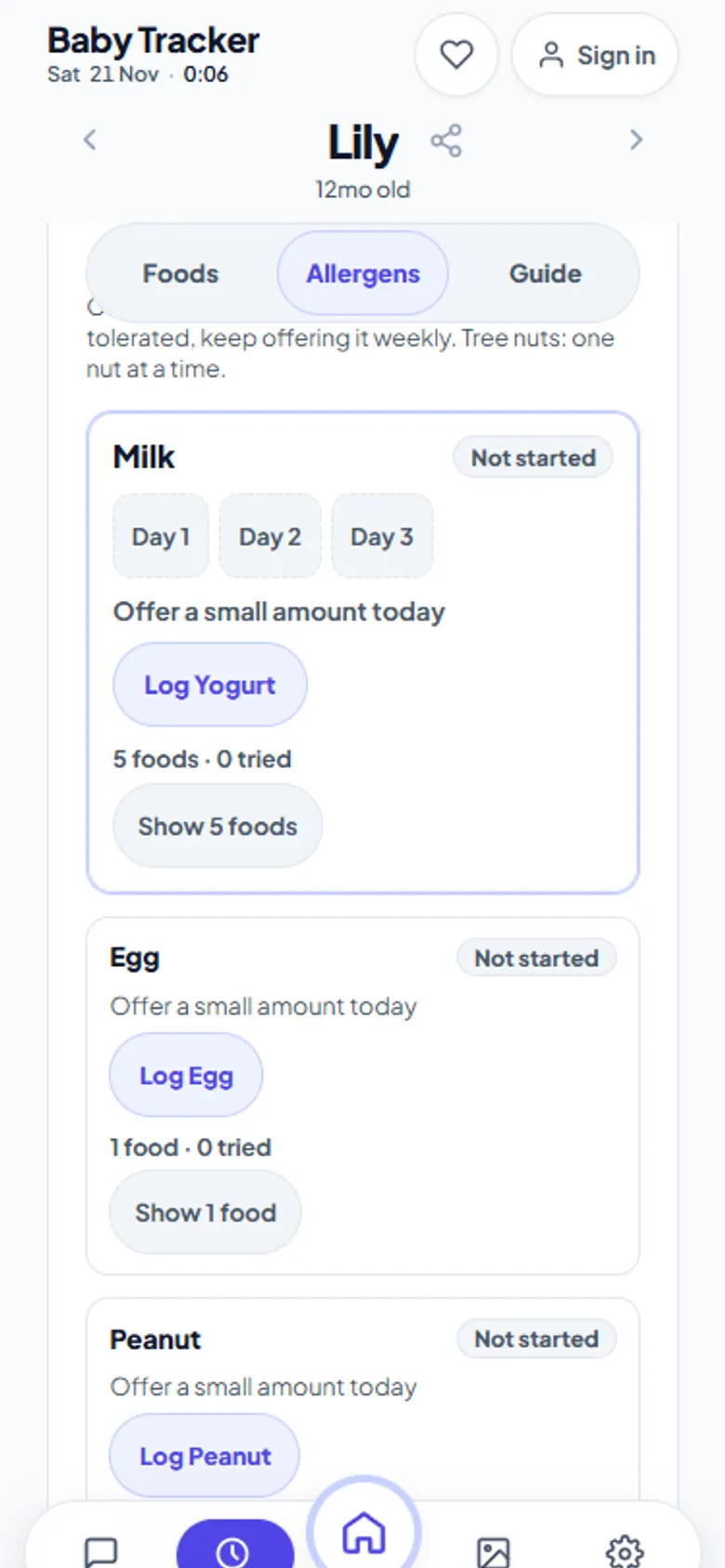
Allergen introduction tracking
The allergen view follows the nine common allergen groups in the list. Those are milk, egg, peanut, tree nuts, sesame, soy, wheat, fish and shellfish. The in-app guidance is one allergen at a time, three days in a row; once tolerated, keep offering it weekly; tree nuts one nut at a time. Each allergen shows whether it is not started, in progress or established. Any reaction you log is kept with the try, with its level, so you have dates and details ready for your doctor.
Not medical advice. Follow your paediatrician's guidance on when and how to introduce allergens, especially if your baby has eczema or an existing allergy. If you see signs of a serious reaction, get medical help immediately.
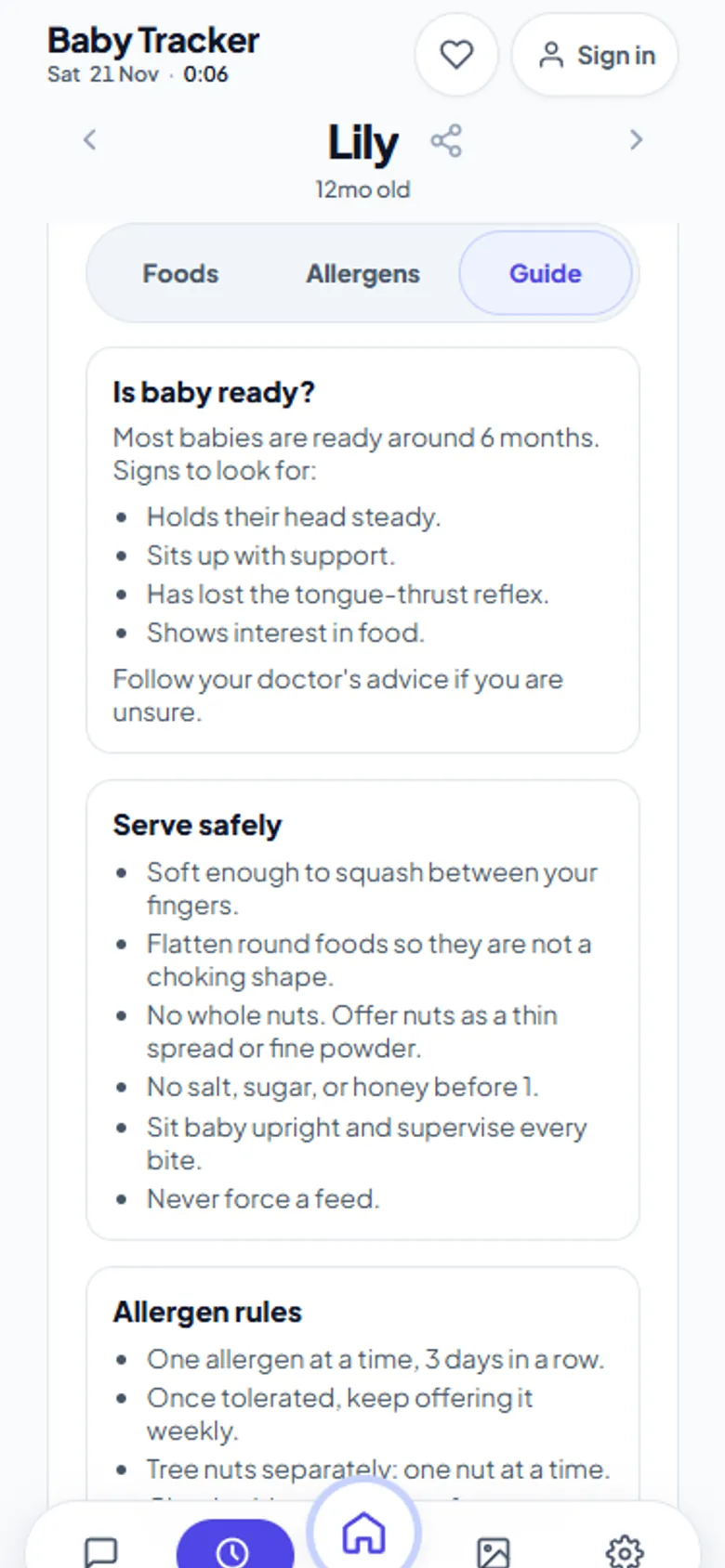
A starting-solids guide in the app
The Guide tab covers readiness signs, such as holding the head steady and sitting with support. It also covers textures that are soft enough to squash, and safe ways to serve. It sits next to the checklist, so the answer is there when you are standing in the kitchen with a spoon.
Shared with whoever feeds the baby
Grandparents, a nanny or daycare drop-off can join with the share code and log a try from their own phone. Everyone sees the same list, so nobody offers peanut for the first time without knowing. Tries also appear in the timeline beside feeds and naps.
Frequently asked questions
Is there a free 100 foods before one tracker?
Yes. Baby Tracker on aczh.dev includes a free 100 foods before one checklist with search, filters, iron-rich flags and a progress count, shared between caregivers.
How do I track allergen introduction?
Open Foods, then Allergens. Each of the nine allergen groups shows its status, and the app suggests offering one allergen at a time three days in a row, then weekly once tolerated.
Can I record a food reaction?
Yes. When you log a try you can record a reaction and its level, and the Reaction filter shows every food that caused one.
Is this medical advice?
No. The guide and suggestions are general. Follow your paediatrician's advice, especially for babies with eczema or known allergies.