A baby tracker both parents actually share
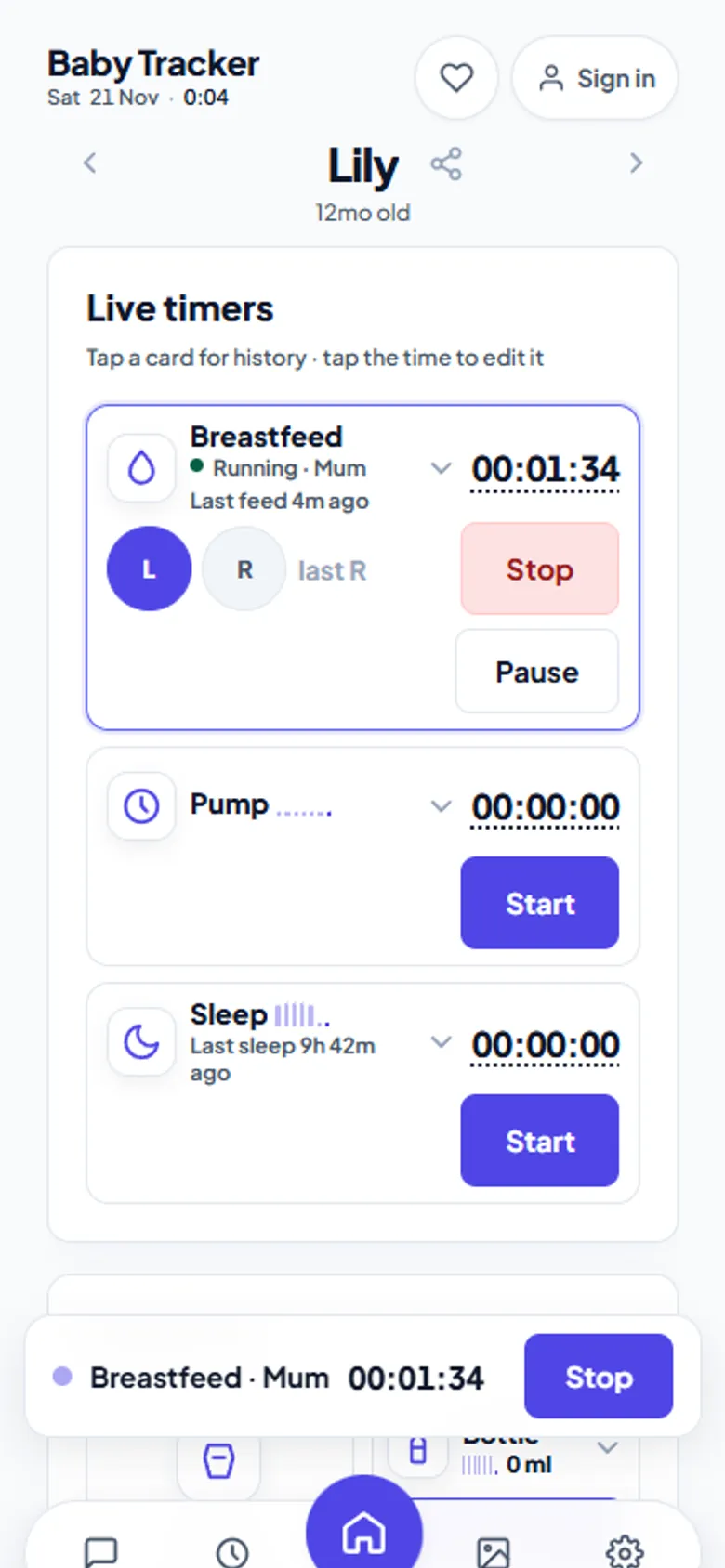
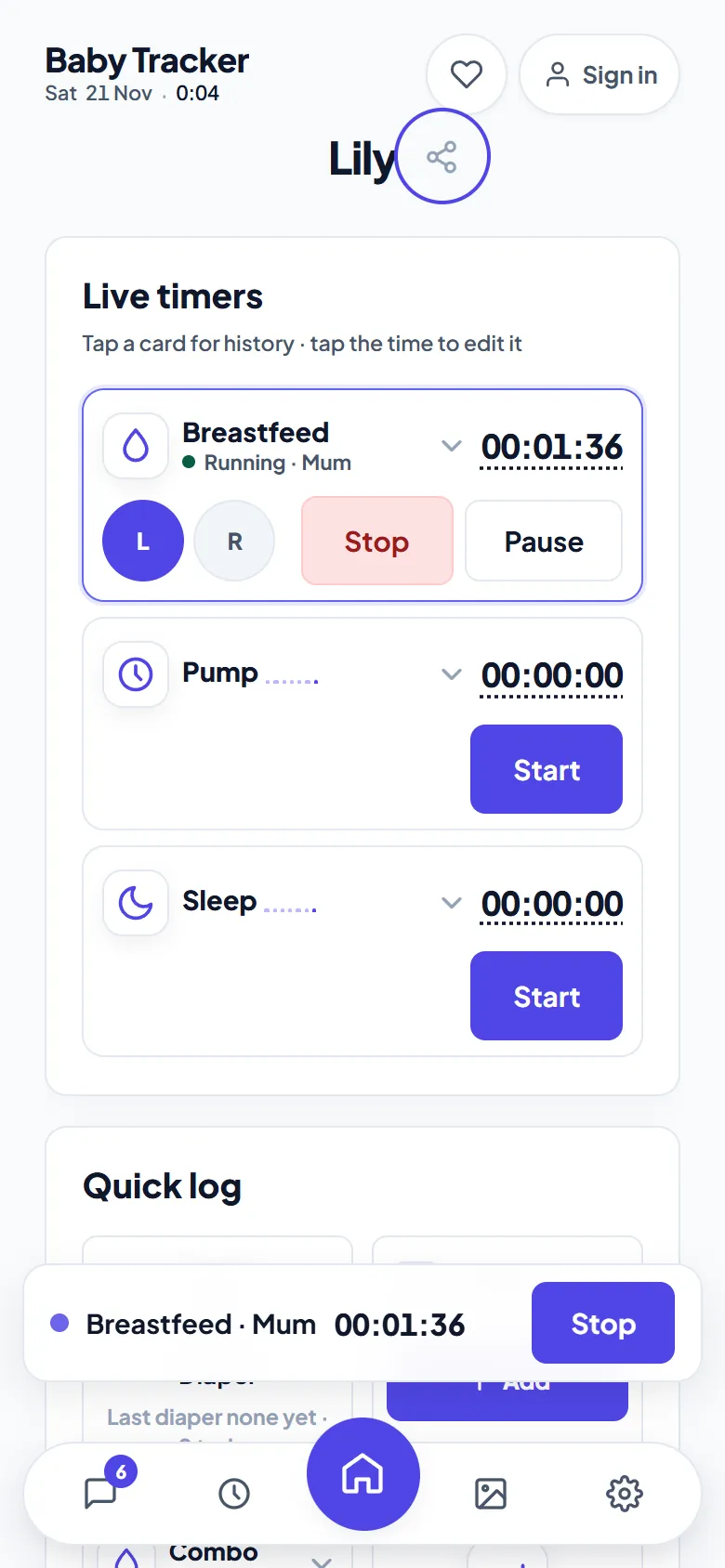
The hardest question at 3 a.m. is “when did she last eat, and which side?” Baby Tracker answers it on every caregiver's phone at once. A timer started by one parent ticks on the other parent's screen within a second or two. Anyone can stop it. It is free for every caregiver, with no accounts.
- Free, no trial
- No account
- Unlimited caregivers
- Saves to your Google Drive
- Works offline
How live sharing works
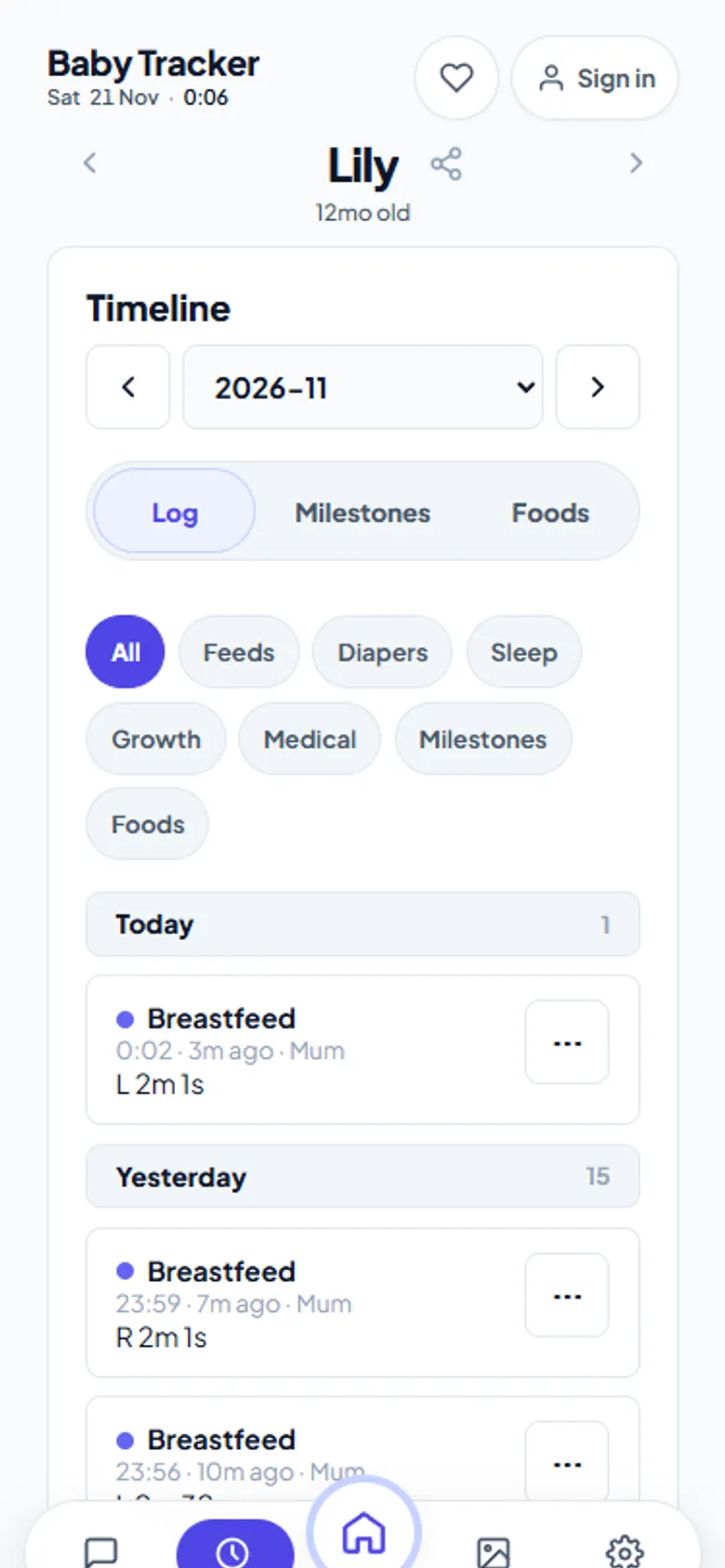
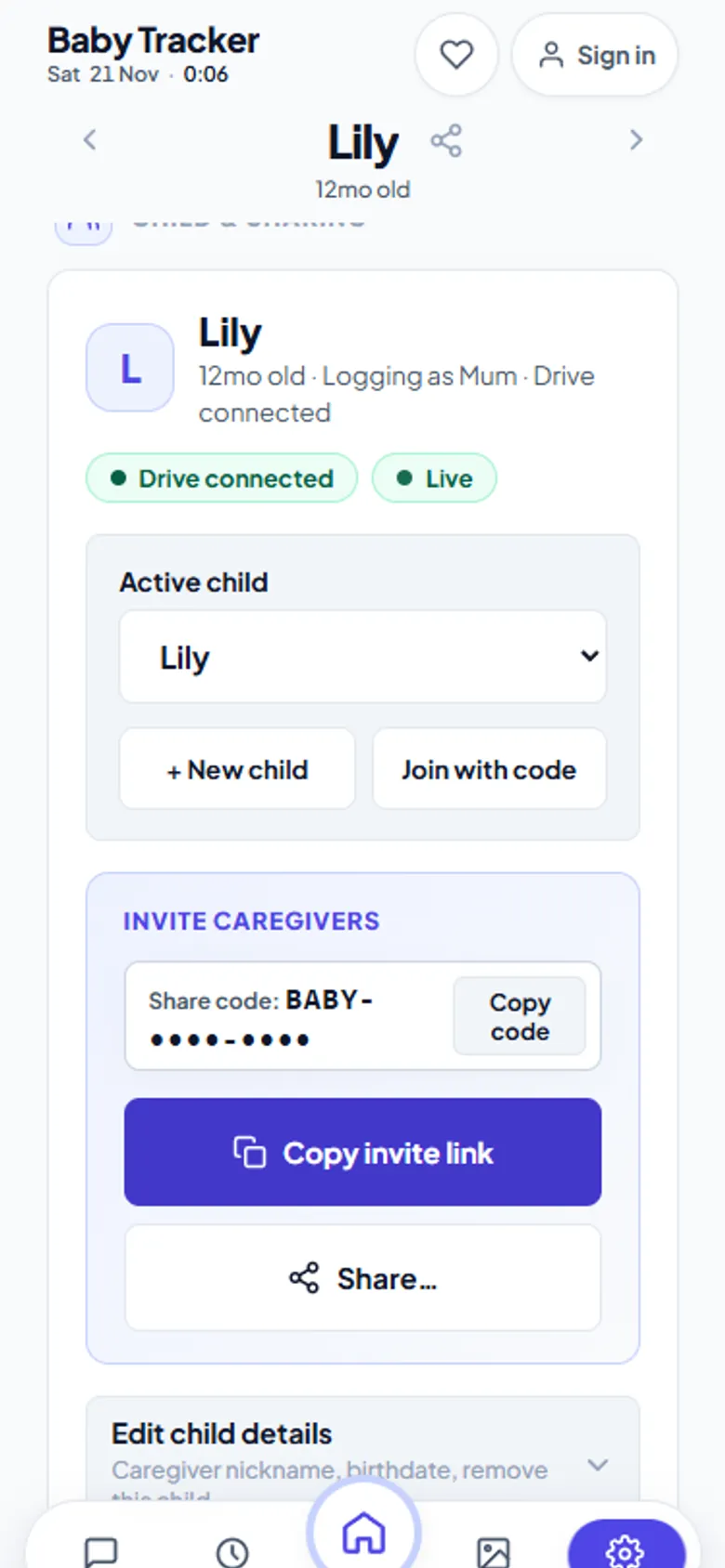
Each child has a share code. Anyone with the code — a partner, a grandparent, the nanny — joins from their own phone's browser and sees the same log. When one of you starts a breastfeeding, pumping or sleep timer, every joined device shows it ticking from the same shared start time, not from when their page loaded. Stop it on any phone and the finished feed lands in everyone's timeline together.
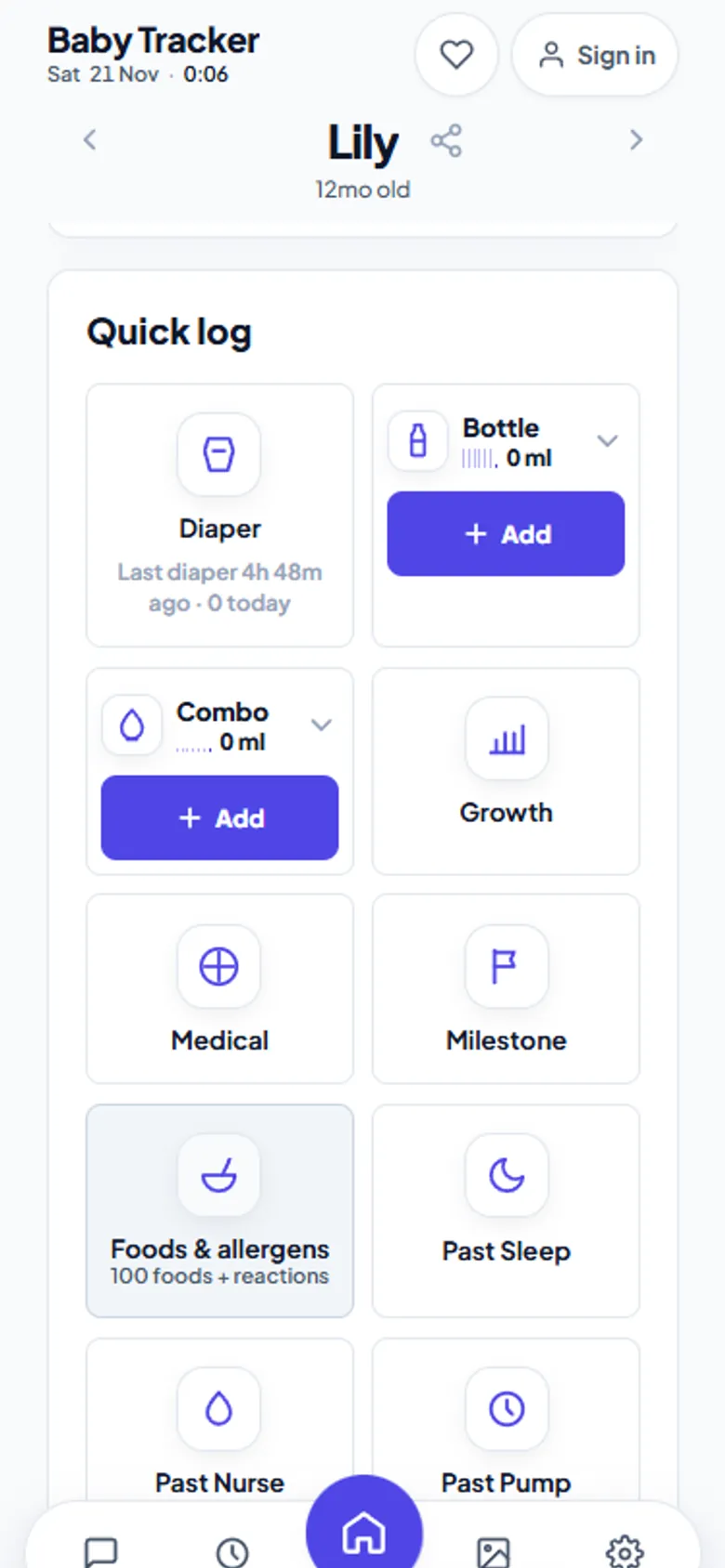
Diapers, bottles, growth and medical notes travel the same way. If a phone loses signal, its timers keep ticking locally and new logs wait in an outbox. They replay automatically when the connection returns.
Who it works for
| Setup | How it plays out |
|---|---|
| Two parents, night shifts | Whoever is up starts the timer; the other sees it in the morning, side and duration included |
| Pumping parent, bottle-feeding partner | Pump volumes and bottle feeds share one timeline |
| Grandparents or nanny | They join with the code on their own phone, no account; the owner can remove a device any time |
| Twins or siblings | One profile per child, each with its own code and timers |
Chat inside the log
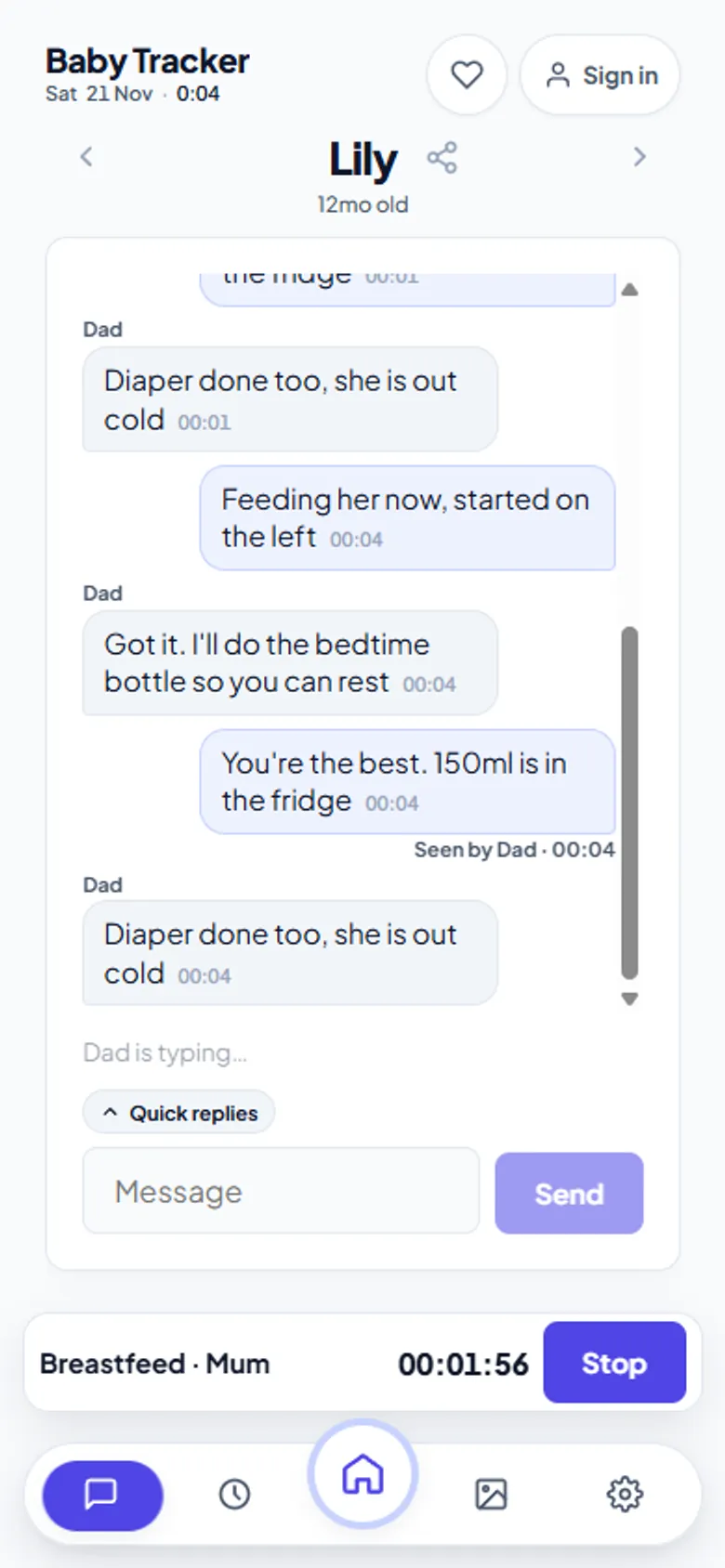
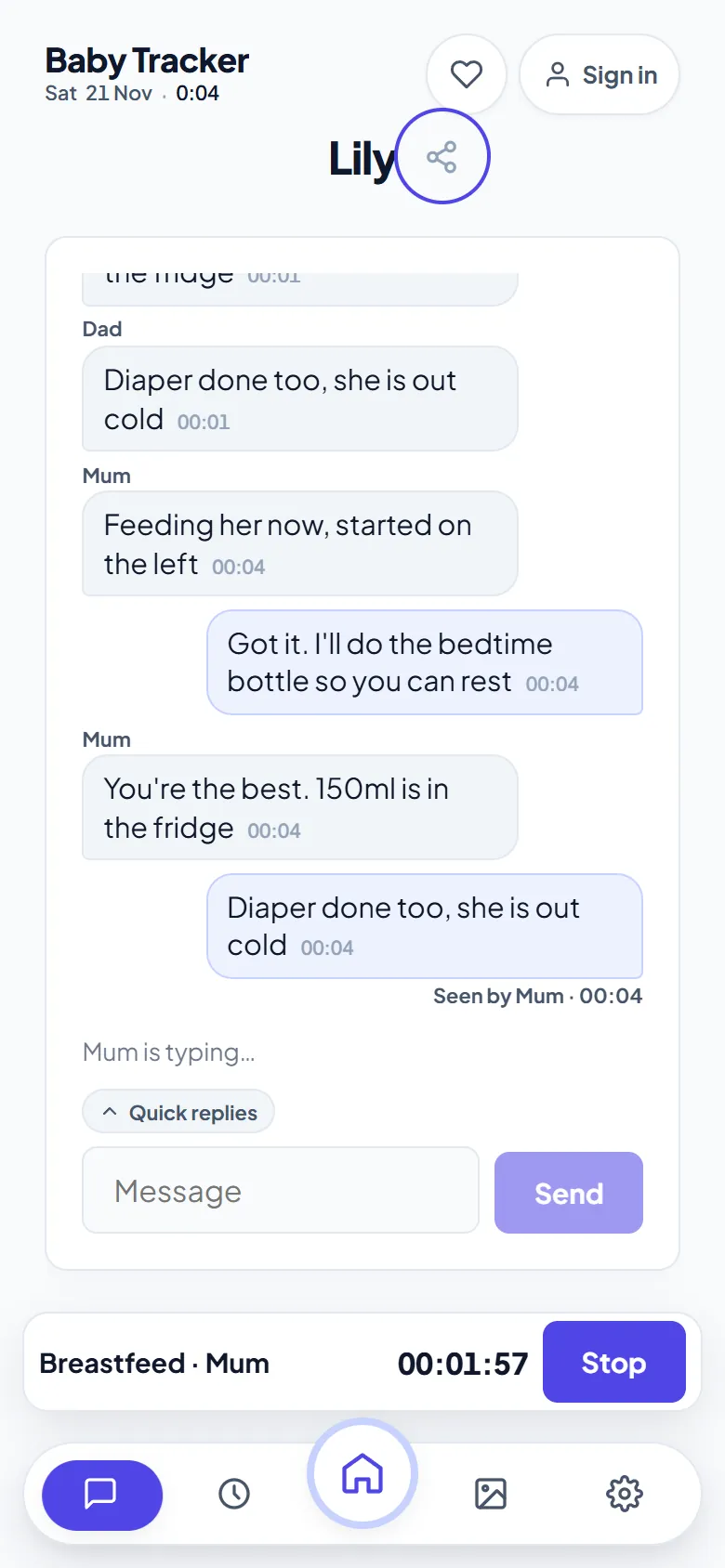
Every shared log has a built-in chat with emoji reactions and quick replies. Questions like “Diaper changed?” or “Last bottle was 90 ml” stay next to the data they are about, instead of getting lost in a family group chat. The relay keeps messages for 24 hours. Rooms with shared Drive storage also keep a monthly chat archive that only room members can read.
Staying in control of who sees what
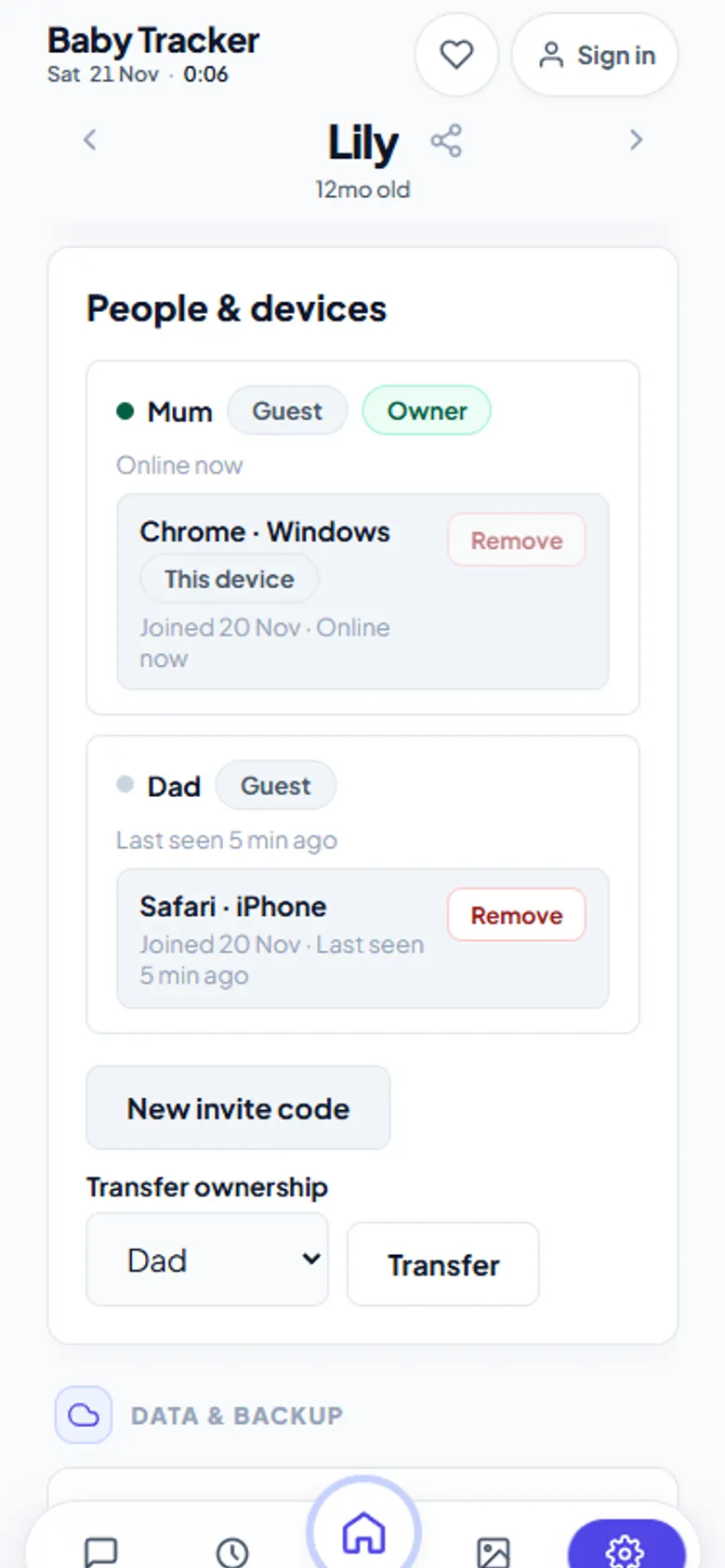
- Owner controls. The person who created the child sees every caregiver and every device they joined with. They can remove one device or all of a caregiver's devices.
- Instant removal. A removed device loses access within a second and clears its local copy. To come back, it needs the current invite code.
- Your storage. History is written to the owner's Google Drive, not to an aczh.dev database.
Set it up together in two minutes
- One parent opens Baby Tracker and creates the child.
- Open Settings › Child & sharing and send the invite link or code.
- The other parent opens the link, picks a nickname, and is in. No sign-up.
- Both of you install it to the home screen so it opens like an app.
Honest limits
Live updates replay from a window of about a hundred recent operations. A phone that has been offline much longer refetches the affected months from Drive, which is always the source of truth. There is one running timer per type per child. Starting a second feed while one runs offers to stop and restart instead.
Frequently asked questions
Can two parents use the same baby tracker at the same time?
Yes. Both parents join the same child with its share code, and every timer and log appears on both phones within a second or two. Either parent can start or stop any timer.
Is sharing with my partner free?
Yes. Sharing is free with no limit on caregivers, and nobody needs an account. Each caregiver joins from their own browser with the invite code or link.
Can a grandparent or nanny join without an account?
Yes. They open the invite link on their own phone and pick a nickname. The owner can remove their device at any time, and it loses access within a second.
What happens if one phone is offline?
Timers keep ticking locally from the shared start time, and new logs wait in an outbox on that phone. They sync automatically when the connection returns.