A baby milestone tracker where the photos stay yours
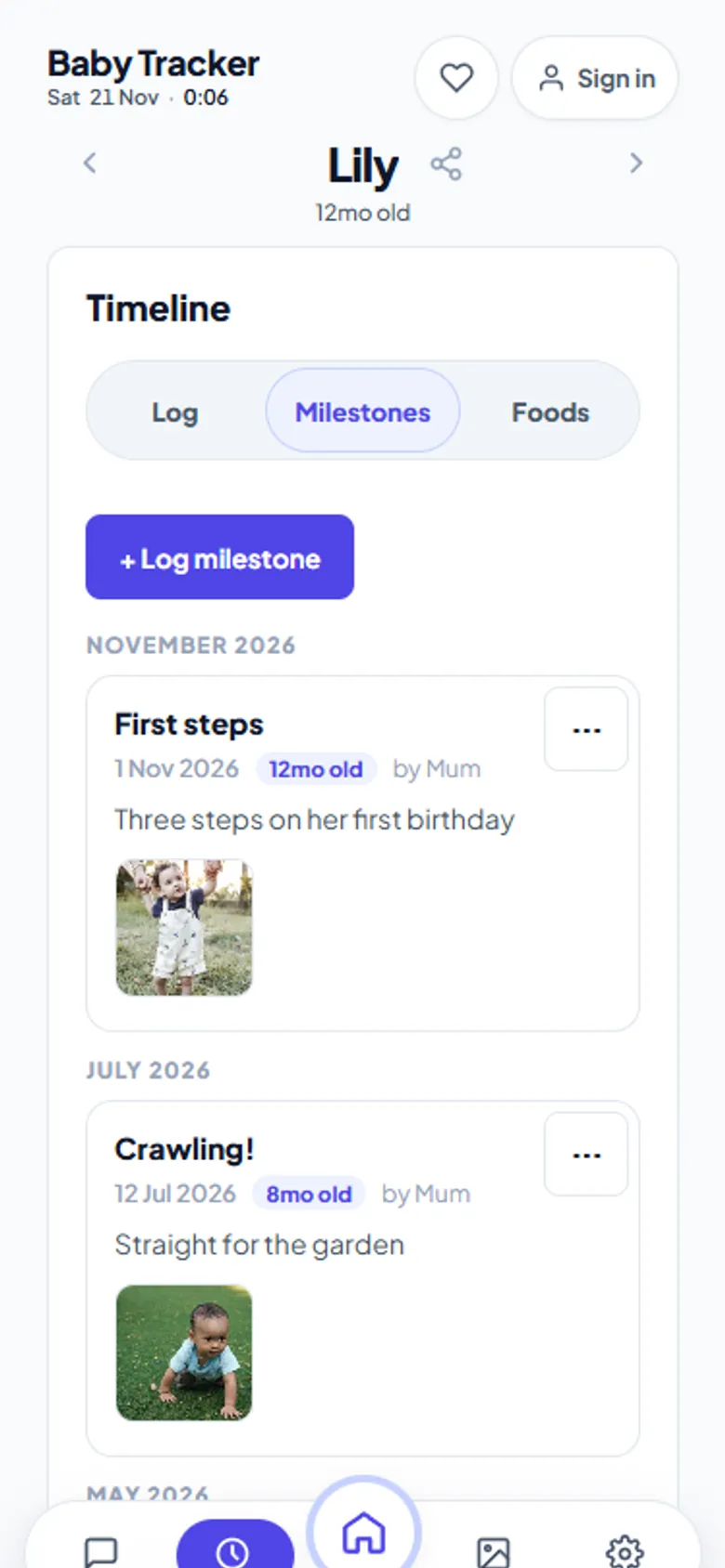
First smile, first laugh, rolling over, the first tooth. These are the entries you will want in twenty years. Baby Tracker records each milestone with its date, the baby's age at the time, a note, and photos or videos. All of it is saved to your own Google Drive, not to a company's servers.
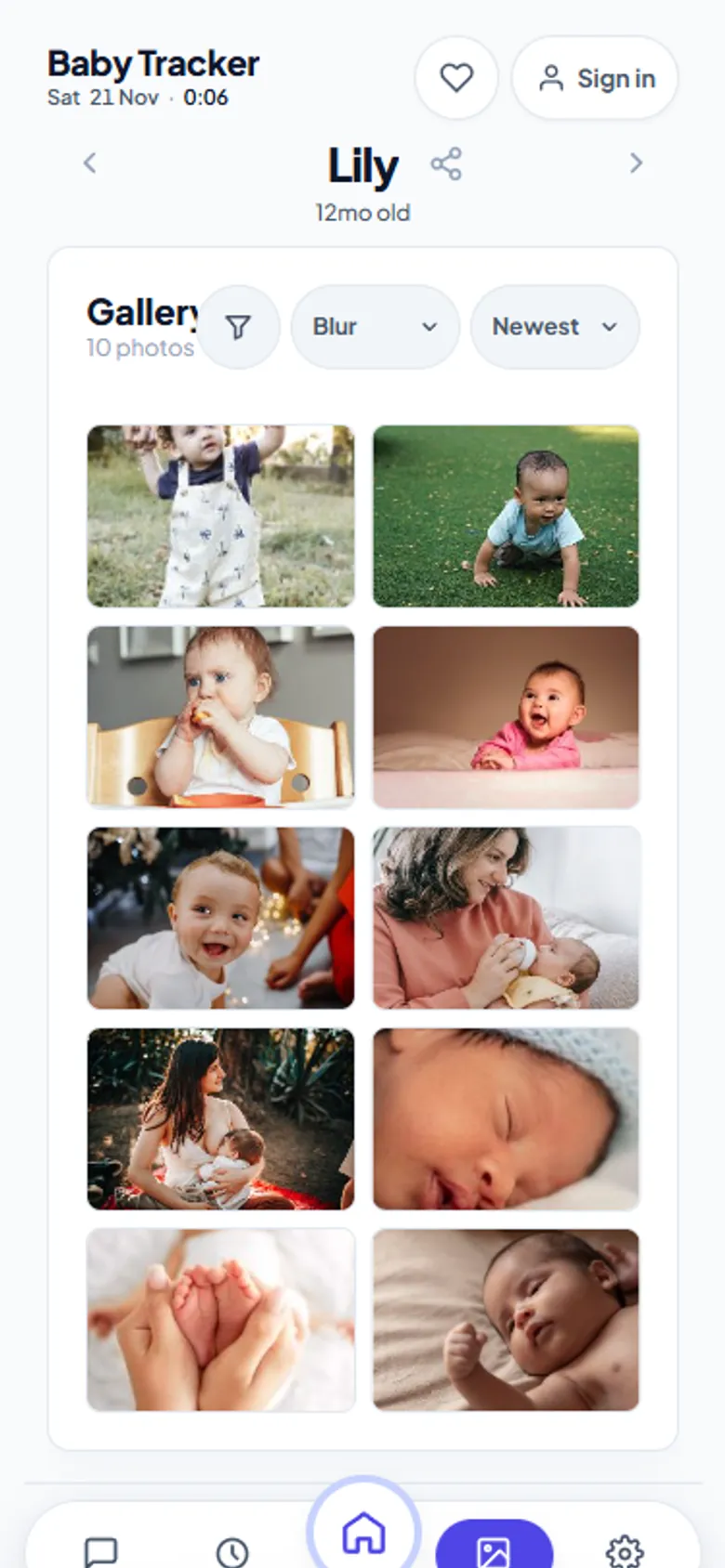
Milestones. Photo, date and age for every first.Gallery. Every photo, newborn to first steps.
How it works
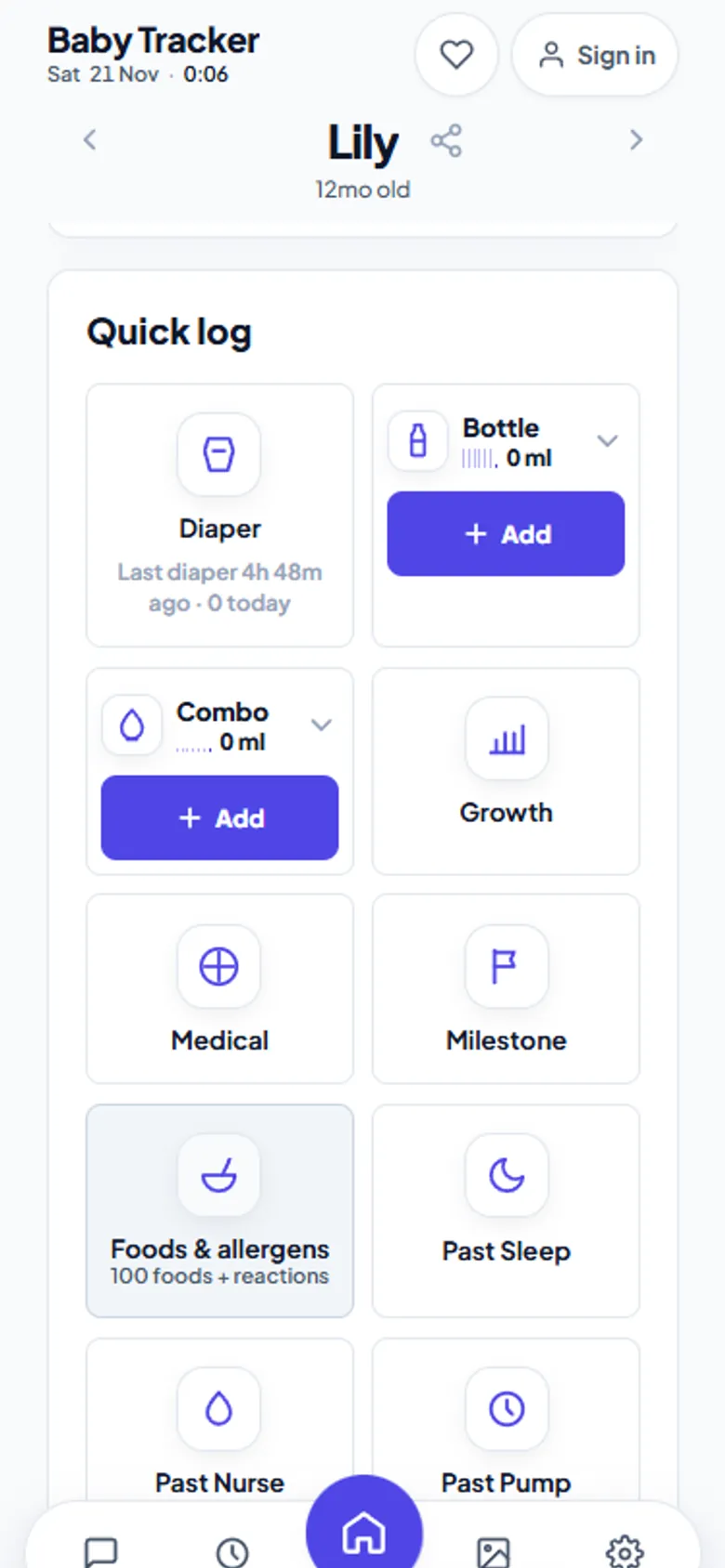
Tap Milestone in Quick log, or + Log milestone in the timeline.
Add a title and date, an optional note, and photos or videos. You can drag them in, paste them, or take one with the camera.
Save. The milestone shows the baby's age on that date (“5mo old”) and who logged it, grouped by month.
Quick log. Diapers, bottles, growth and milestones in two taps.
Where the photos go
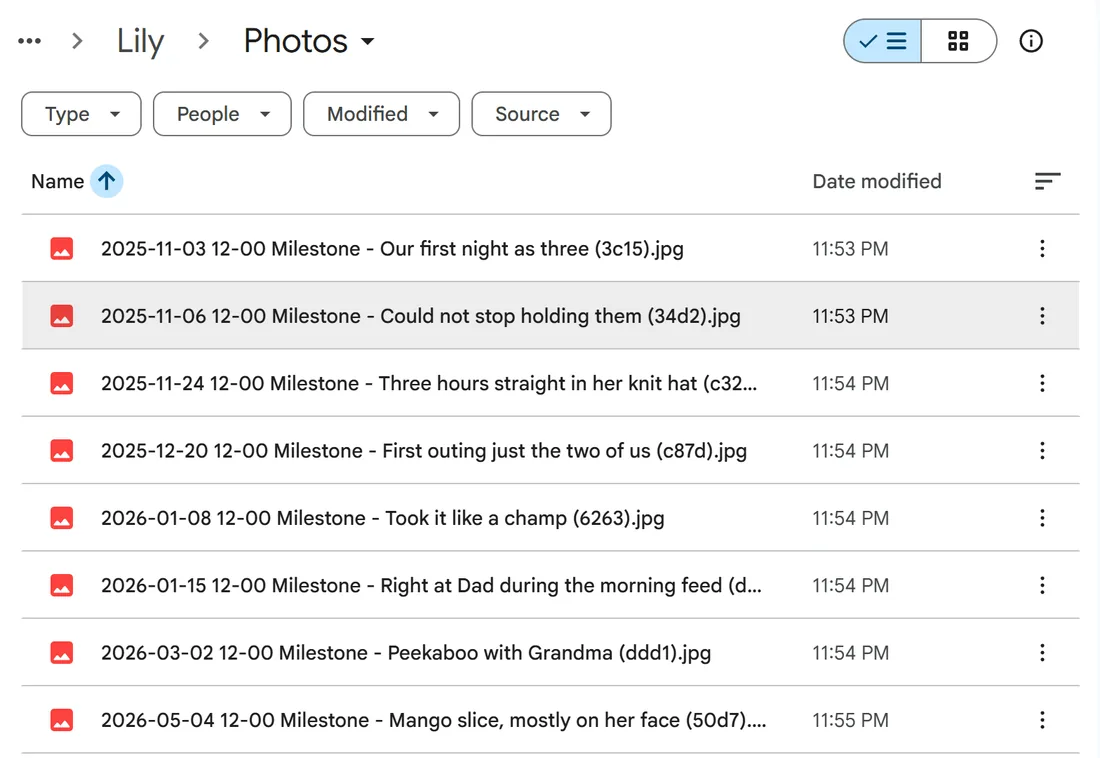
Photos and videos upload to a Photos folder inside your child's folder in your own Google Drive. You can also open them straight from Drive, without the app. An optional setting compresses large videos before upload to save space. The app's gallery shows everything in one place, with an option to blur sensitive shots.
Diagram of the folders and files Baby Tracker writes to your Google Drive (names from the app's code). Everything is plain files you can open, copy or download without the app.
drive.google.com › Lily › Photos
Photos are plain files. Each memory is a normal JPG, named with its date and note.
Why this matters
Baby apps come and go, and subscriptions lapse. A memory book that lives on one company's servers can disappear with that company. Because Baby Tracker writes ordinary files to your Drive, the photos and the dates they belong to outlive the app. If aczh.dev went offline tomorrow, your folder would still be there.
Honest limits
Photos and videos need Google Drive to be connected; without it, the app keeps text logs only in your browser. There is no printed photo book, and no built-in developmental checklist with expected ages. Milestones are what you choose to record.
Frequently asked questions
Where are milestone photos stored?
In a Photos folder inside your child's folder in your own Google Drive. You can open, download or move them without using the app.
Does it show the baby's age for each milestone?
Yes. Once the birthdate is set, each milestone shows the baby's age on that date, for example 5mo old.
Can my partner add milestones too?
Yes. Every caregiver who joined with the share code can log milestones, and each entry shows who added it.
Is the milestone tracker free?
Yes. Milestones, photos, videos and the gallery are free, with no subscription.
Updated 2026-11-20. Screenshots are of the live app with a demo baby; gallery photos are free stock photos from Pexels, share codes are hidden, and Drive screenshots come from a test Google account. Nara Baby and Huckleberry are trademarks of their owners; aczh.dev is not affiliated with either. Baby Tracker has no ads, no accounts and no subscription — if it got you through a few night feeds, a small contribution keeps it that way: support aczh.dev.